Google Introduces Advanced Ransomware Defense and Recovery Features in Drive
Google has officially rolled out its enhanced ransomware detection and file restoration capabilities for Google Drive, transitioning them from beta to general availability across organizations globally.
First made available during beta testing in September 2025, these security upgrades are engineered to mitigate the destructive impact of malware attacks on both personal and corporate endpoints.
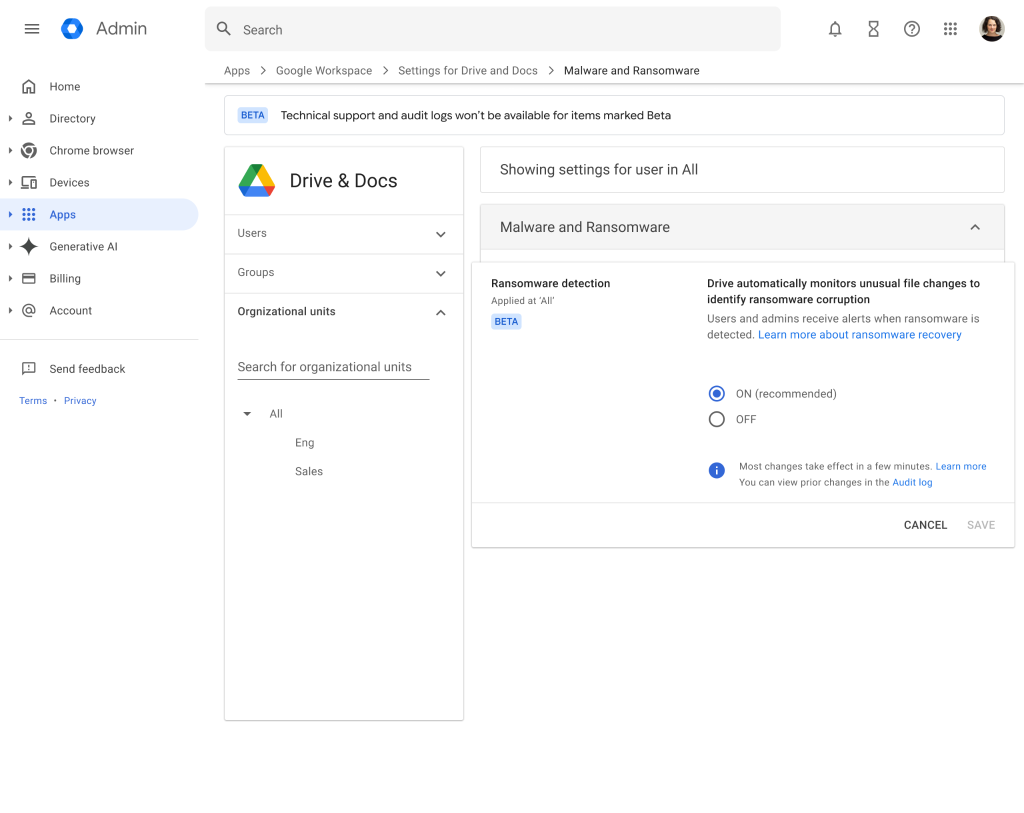
The general availability release introduces significant advancements to Google’s threat detection infrastructure. Powered by an updated AI model, the system now identifies 14 times more infections than the previous beta iteration.
The system recognizes a broader spectrum of modern ransomware encryption techniques and detects malicious activity significantly faster, delivering comprehensive protection against rapidly evolving threat actors.
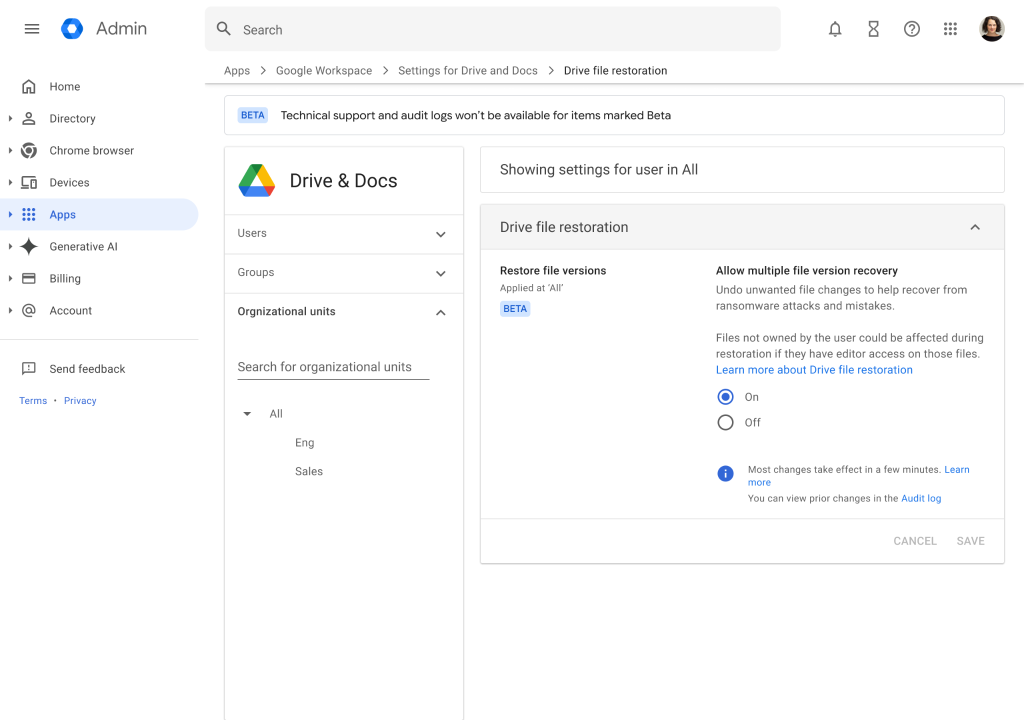
Throughout the testing phase, thousands of users successfully validated the file restoration workflow, demonstrating the architecture’s high scalability and reliability during critical incident response scenarios.
Core Defense Capabilities
Google’s updated security suite introduces key mechanisms to halt active attacks and recover compromised data efficiently:
- Automated Ransomware Detection: When malicious encryption behavior is identified on a machine running Google Drive for desktop, the application immediately pauses file syncing to prevent corrupted files from overwriting clean cloud backups.
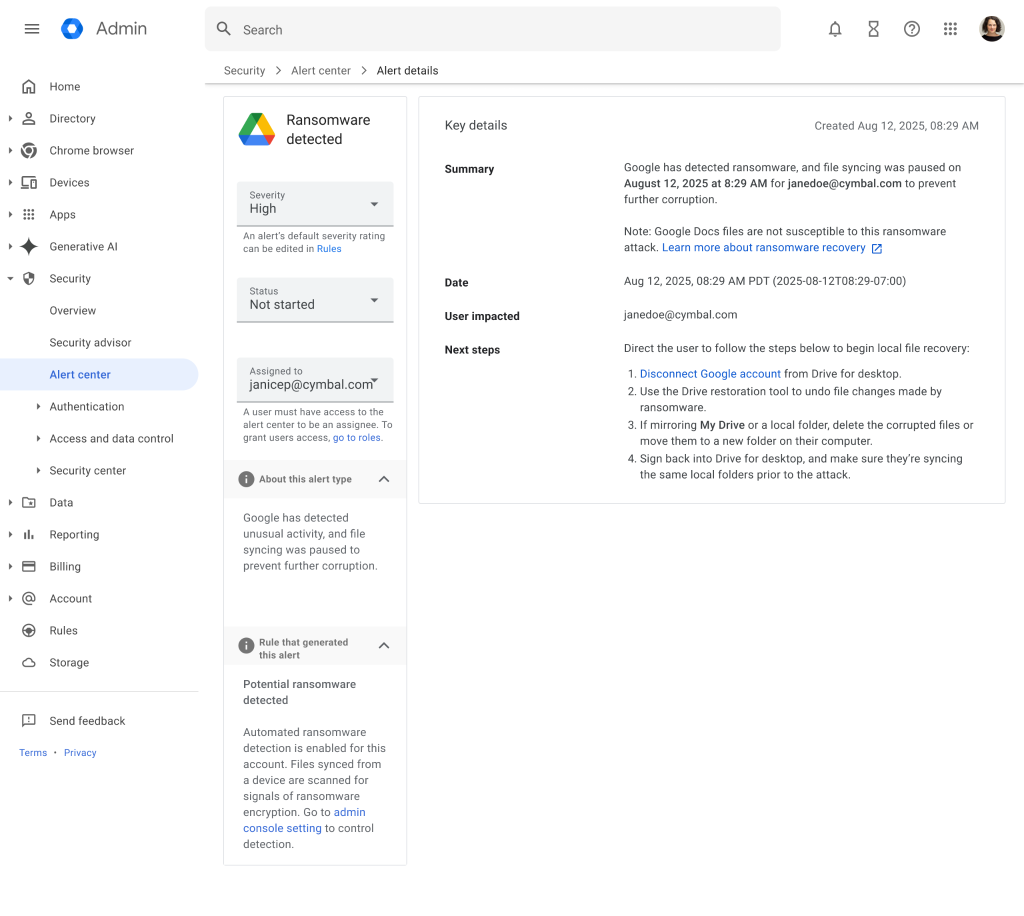
- Dual Notification System: The system triggers an immediate local desktop warning for the end user while simultaneously sending email notifications and logging a detailed alert in the Admin console security center.
- Bulk File Restoration: Victims can seamlessly roll back their impacted Google Drive to a previous, unencrypted state to avoid paying ransom demands. Users can select multiple affected files and restore them to the exact versions that existed right before the malware infection occurred.
For IT and security teams, deploying these new defences requires minimal overhead. Both ransomware detection and file restoration are enabled by default across the organisation.
Administrators maintain granular control and can toggle these protections on or off at the Organizational Unit (OU) level through the Google Workspace Admin console.

When the system identifies a potential threat, administrators receive automated email warnings alongside detailed diagnostic data within the Alert Center.
To ensure complete functionality, organizations must deploy Google Drive for desktop version 114 or later.
While older client versions will still successfully pause file syncing during an attack, they lack the capability to display endpoint warning notifications to the end user.
Licensing and Availability
Access to these security tools depends on the specific account type and subscription tier.
The bulk file restoration capability is universally available to all Google Workspace customers, Workspace Individual subscribers, and users with standard personal Google accounts.
Automated ransomware detection requires specific organizational licensing tiers:
- Business: Available for Business Standard and Plus
- Enterprise: Available for Enterprise Starter, Standard, and Plus
- Education: Available for Education Standard and Plus
- Frontline: Available for Frontline Standard and Plus