The Trojan Horse in Your Inbox: How Attackers Are Weaponizing GitHub Issue Notifications
In a sophisticated evolution of social engineering, threat actors are no longer just sending fake emails; they are hijacking the very notification systems designed to keep developers safe. By abusing GitHub’s issue notification infrastructure, hackers are launching highly targeted phishing campaigns to deploy malicious OAuth applications. This isn’t just a simple credential theft attempt—it is a strategic move to turn trusted DevOps environments into potent supply-chain attack vectors.
Developers have become high-value targets because an account compromise offers more than just access to code; it grants an attacker a foothold in CI/CD pipelines and production workflows. This creates a direct path for downstream supply-chain attacks, where a single compromised developer can compromise thousands of downstream users.
The attack surface begins with the creation of public issues on unsuspecting repositories. These issues are crafted to mimic legitimate security alerts, using high-pressure language regarding “unusual access attempts” or “malicious commits” associated with the target’s account.
Recent intelligence suggests that a single malicious OAuth application, distributed at scale, can impact thousands of repositories in a matter of days. Because these notifications are triggered by GitHub’s own internal messaging system, they bypass the traditional SPF, DKIM, and DMARC filters that usually catch spoofed phishing emails.
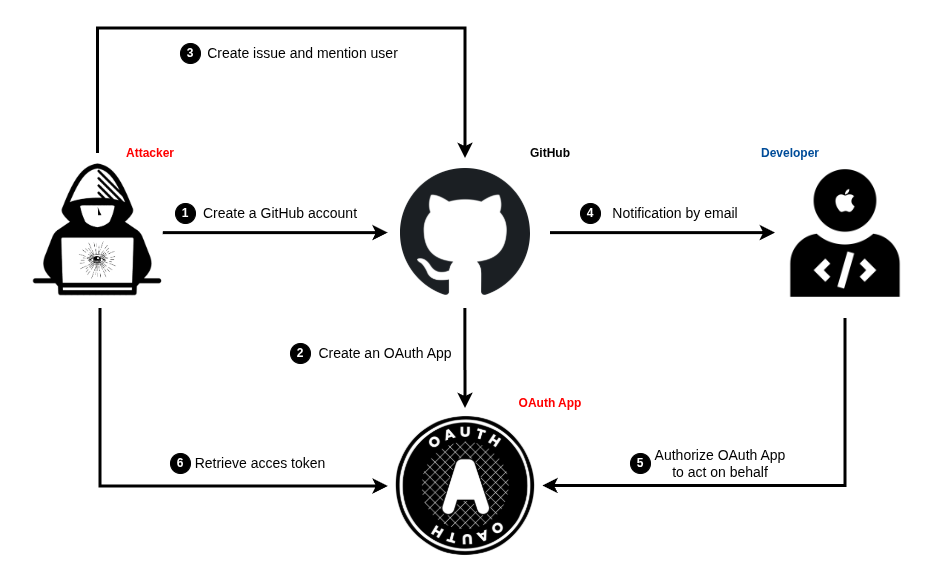
By @mentioning a specific username within the issue body, the attacker forces GitHub’s automated system to send a legitimate [email protected] email directly to the victim’s inbox. This creates a psychological “halo effect” of trust.
Anatomy of the Attack: Exploiting Trust and Logic
The payload is delivered through meticulously formatted Markdown. Attackers use bold typography, simulated system logs, and alarming “security findings” to manufacture urgency. The goal is to drive the user toward a link promised to “review activity” or “remediate the threat.”
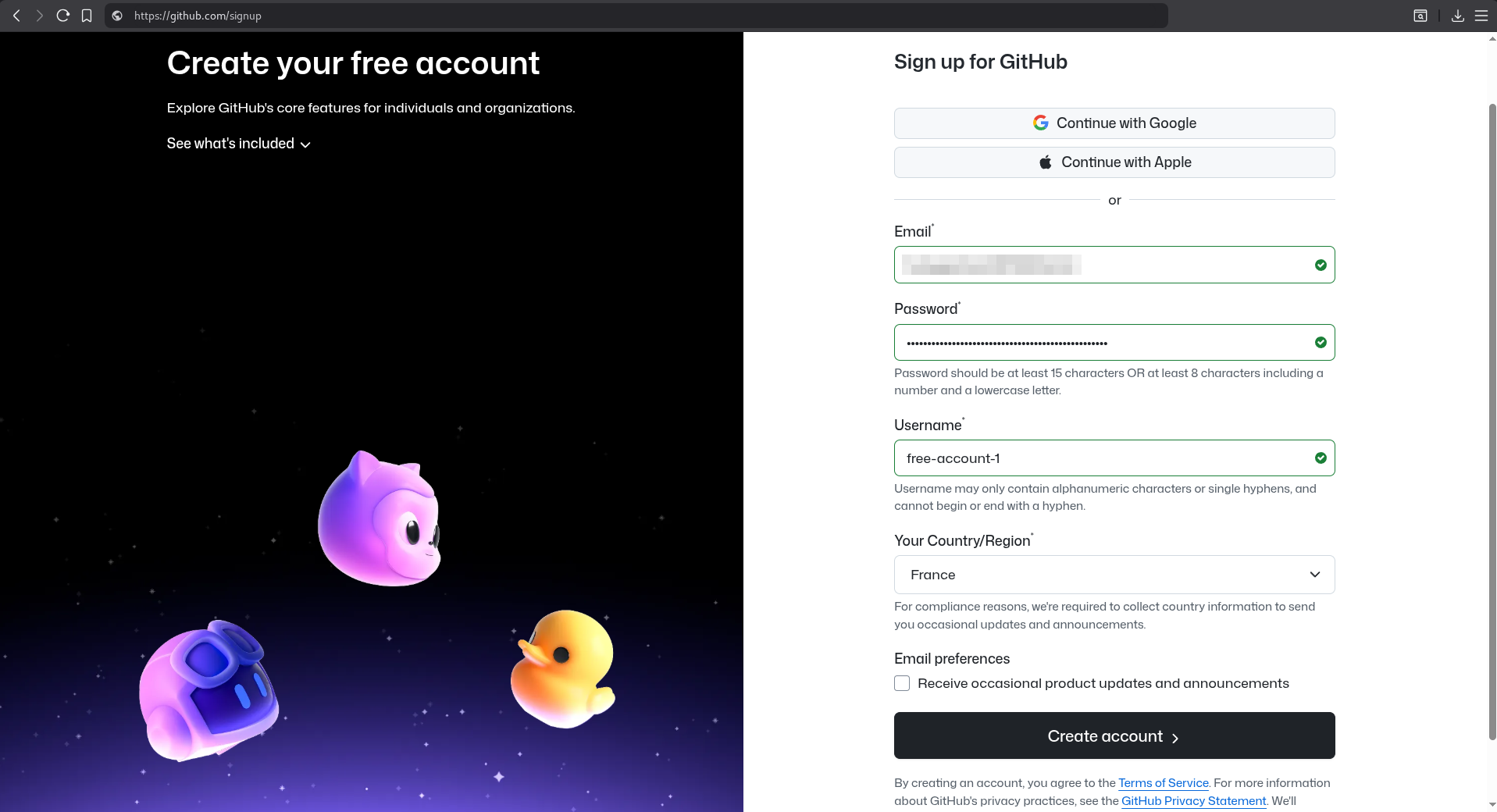
To add further layers of authenticity, attackers often use account names and repository titles that closely mirror GitHub’s internal security services. Furthermore, some sophisticated actors employ a Time-of-Check Time-of-Use (TOCTOU) tactic: they issue the comment to trigger the email, and once the notification is in the user’s inbox, they immediately delete or edit the issue. This leaves the victim with a “ghost” alert—an email for an issue that no longer exists in the repository, making it even harder for the developer to verify the claim through standard UI navigation.
Crucially, the link does not lead to a fraudulent login page. Instead, it directs the user to a legitimate github.com OAuth authorization URL. This is the “hook.”
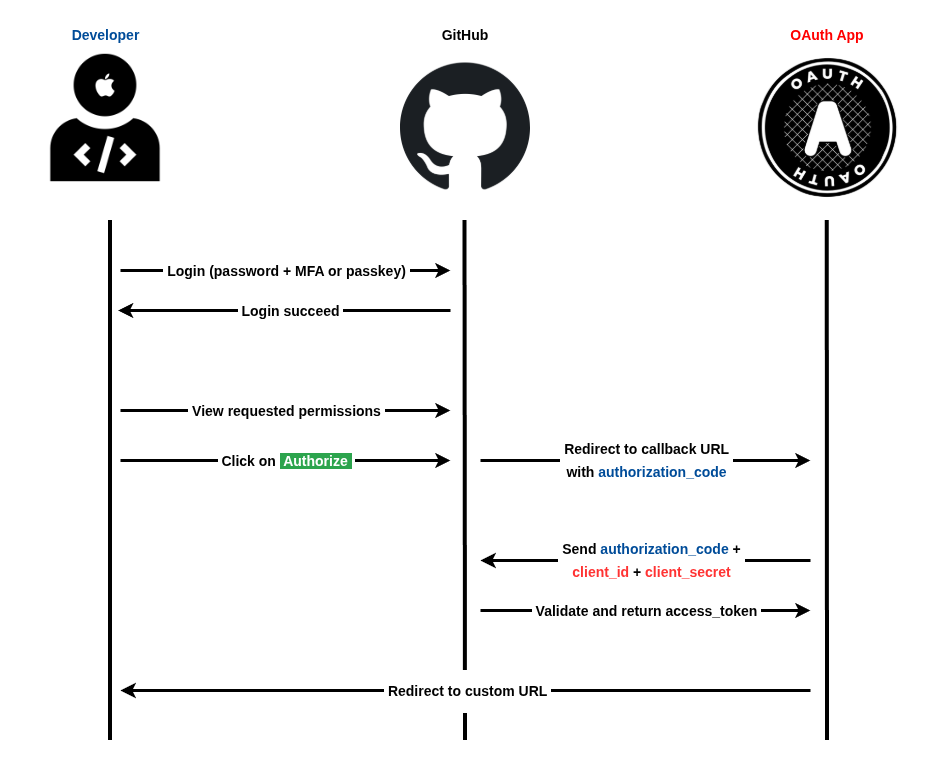
This technique, known as consent phishing, leverages the OAuth 2.0 protocol to grant an attacker persistent, API-level access. When the user clicks “Authorize,” they aren’t giving away their password; they are granting a specific set of “scopes” to a third-party app. These scopes often include full access to private repositories, user profiles, and, most dangerously, the ability to modify GitHub Actions workflows.
The Silent Killer: OAuth Exploitation and 2FA Bypass
This attack represents a fundamental bypass of Multi-Factor Authentication (MFA). Since the attacker is not trying to log in as the user, but is instead being “invited” in via a valid token, 2FA is never even triggered. Once the access token is issued to the rogue application, the attacker can execute high-impact actions: cloning private source code, injecting backdoors into the codebase, or altering CI/CD configurations to exfiltrate production secrets.
In documented campaigns, attackers have leveraged tools like the MalGitApp fake deployment workflows to blend in with standard DevOps activities, requesting authorization under the guise of “connecting to deployment services” like Render.
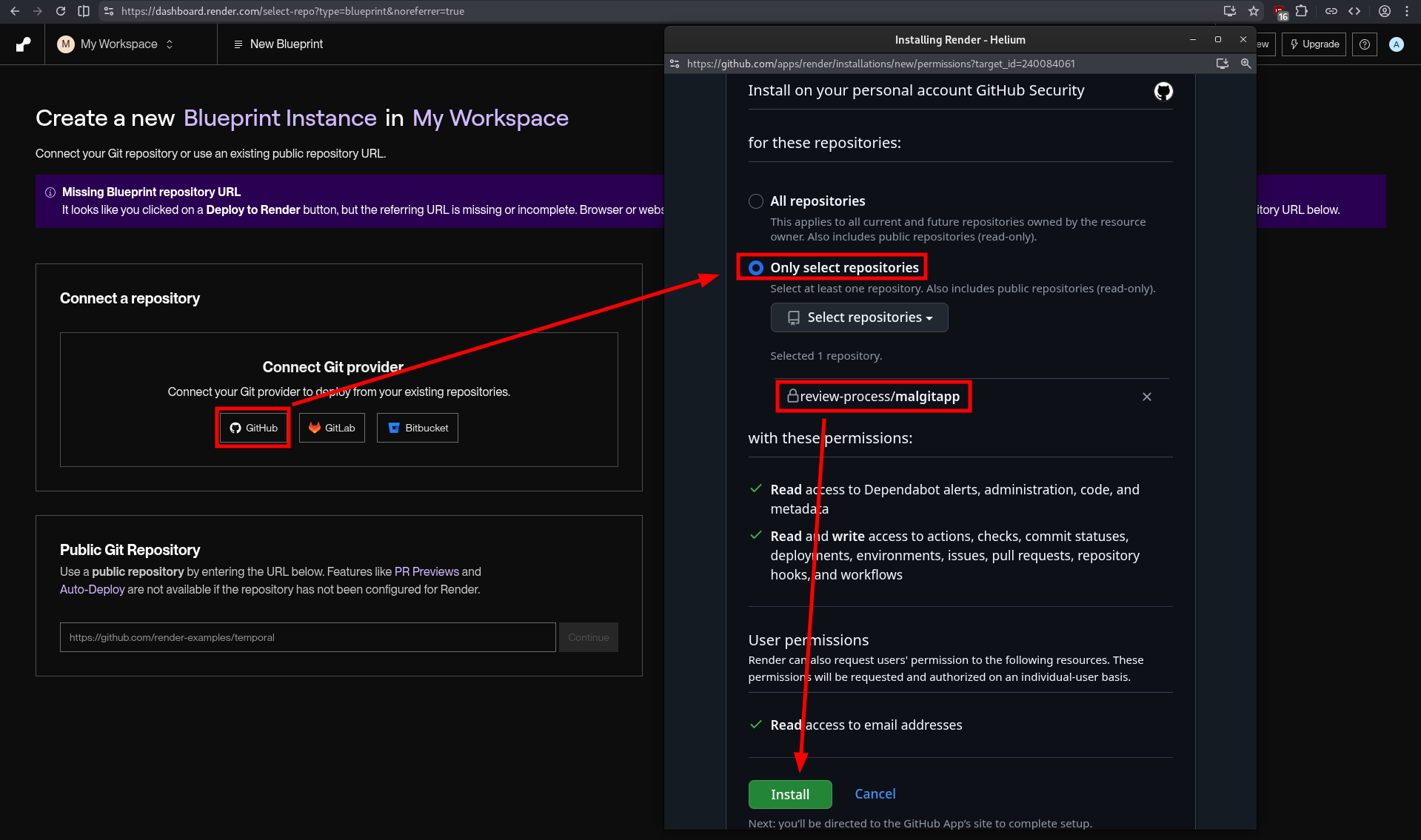
Security researchers have observed these campaigns hitting upwards of 12,000 repositories, highlighting the terrifying scalability of this method. Because the interaction occurs within the official GitHub ecosystem, the entire lifecycle of the breach feels “correct” to an unsuspecting developer.
Defense-in-Depth: Protecting Your Repositories
To defend against this sophisticated threat model, organizations must move beyond simple password management and embrace a zero-trust approach to third-party integrations.
- Harden OAuth Approvals: Treat every OAuth authorization request as a high-risk event. Implement organization-level policies that restrict which third-party applications are allowed to access your repositories.
- Audit Scopes: Be extremely wary of any application requesting broad
repoorworkflowscopes. Ask: “Does this tool actually need full write access to my private code to function?” - Monitor Token Activity: Security teams should regularly audit existing OAuth grants and monitor for anomalous repository changes—specifically those triggered by GitHub API tokens rather than direct user logins.
- Verify via Official Channels: If you receive a “security alert” via email, never click the link in the message. Instead, navigate directly to your GitHub dashboard or the official GitHub Notifications center to verify the alert is real.