Breaking the Sandbox: How the Payouts King Actor Uses “Edgecution” to Pivot from Browser to Host
A sophisticated campaign orchestrated by an initial access broker linked to the Payouts King ransomware ecosystem has introduced a highly effective method for gaining persistent host-level control. By weaponizing a custom Microsoft Edge extension, the actor effectively bypasses the traditional browser sandbox to establish a direct line of communication with the underlying operating system.
The malware, dubbed “Edgecution,” leverages the Chrome/Edge native messaging protocol—a legitimate feature intended to allow extensions to communicate with desktop applications—to interface with a Python-based backdoor. This architectural choice allows the attacker to move from the restricted environment of a web browser to full filesystem and process manipulation.
The Anatomy of the Intrusion: From Teams to Total Control
The attack chain begins with highly targeted social engineering. Threat actors impersonate corporate IT personnel via Microsoft Teams, pressuring employees to visit a fraudulent “Outlook Updates Management Console.” This site is designed to mimic legitimate Microsoft interfaces to lower the victim’s guard.

Once the victim interacts with the site, the actor provides several deployment pathways, including obfuscated AutoHotkey scripts, encrypted archives, or direct PowerShell/batch commands. These scripts perform several critical setup tasks: they repair deliberately corrupted ZIP files to evade detection, extract the core payloads, and initialize a hidden, headless instance of Microsoft Edge. This headless instance is specifically configured to load the malicious extension from a locally created user-data directory, making the activity much harder to spot through standard user interaction.
To bridge the gap between the browser and the OS, the setup scripts create a Chrome native messaging manifest. This manifest points to a native_host.bat wrapper, which serves as the execution bridge for the Python backdoor.
Technical Deep Dive: The Edgecution Architecture
As detailed in research by Zscaler, Edgecution operates as a two-part modular system:
- The Browser Extension: Acts as the primary interface and Command-and-Control (C2) beacon. It uses WebSockets to maintain a persistent connection with the attacker. It communicates with the local system via
chrome.runtime.sendNativeMessageusing randomized identifiers (e.g.,com.[random].api). - The Python Backdoor: A Python 3.13.3 distribution that resides on the endpoint. It receives commands from the extension via
stdio, using a four-byte length prefix to parse JSON messages.
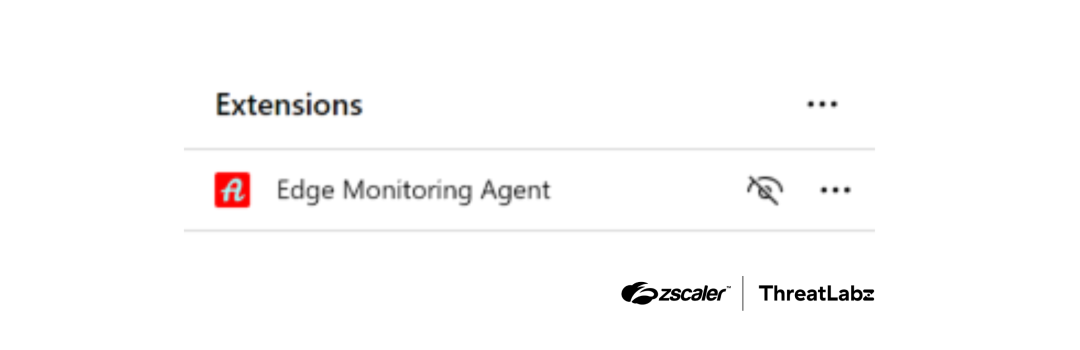
While some commands are handled internally within the browser (such as monitoring active tabs or keywords), high-privilege actions are forwarded to the Python host. These include system reconnaissance, arbitrary Python code execution, file manipulation, and the ability to spawn new processes or execute PowerShell commands. To increase stealth, the backdoor uses an AppKey stored in the Windows Registry to decrypt its internal strings, complicating static analysis.
Infrastructure analysis by ThreatLabz revealed that the C2 communications rely heavily on cloudfront.net subdomains hosted on AWS. This “living off the cloud” tactic allows the malicious traffic to blend in with legitimate web services, making network-level detection significantly more difficult.
Defensive Strategies and Mitigation
This campaign highlights a pragmatic evolution in initial access: using legitimate browser features to bridge the gap between web-based social engineering and deep host-level persistence. To defend against this, organizations should implement the following:
- Monitor Process Lineage: Watch for unusual headless browser launches (e.g.,
msedge.exerunning without a GUI or with custom--user-data-dirflags). - Audit Native Messaging: Regularly inspect registry keys and files associated with Chrome/Edge Native Messaging hosts.
- Restrict Sideloading: Implement Group Policy Objects (GPOs) to prevent the installation of unapproved browser extensions and restrict the ability for users to sideload extensions.
- Endpoint Detection: Monitor for unexpected Python processes spawning from web browser parent processes.
Indicators of Compromise (IOCs)
| Indicator | Description |
|---|---|
wss://d3nh8sl98s2554.cloudfront[.]net/ws |
Edgecution C2 server |
wss://d2g6dl71gua1qa.cloudfront[.]net/ws |
Edgecution C2 server |
wss://d1jp293q9tvi92.cloudfront[.]net/ws |
Edgecution C2 server |
wss://d23l50n6ubud7p.cloudfront[.]net/ws |
Edgecution C2 server |
a08d8e63b0cd3638fb40b8e6da546e26da69439597565827f9cec87915f78568 |
SHA256 Edgecution browser extension (background.js) |
3d1158884fb339b3328bd330fcc27598e1f1c94bcac39e75d1a272afa4deee1a |
SHA256 Edgecution Python backdoor |
Note: IOCs have been defanged (e.g., [.]) for safety. Please re-fang these indicators only when using them within a secure environment.