Kali Linux 2025.4 Released Featuring 3 New Hacking Tools and Wifipumpkin3
The latest release of Kali Linux, version 2025.4, is a significant milestone for the ethical hacking distribution, introducing major architectural changes and a range of new tools.
This update focuses on streamlining the platform by removing unnecessary features, prioritizing performance, essential utilities, and improving hardware support.
With the transition to Kernel 6.16, Kali Linux is now faster and more stable than ever, providing a solid foundation for users.
A key highlight of version 2025.4 is the overhaul of its desktop environments. GNOME 49 has officially dropped X11 session support, making Wayland the default and only window server.
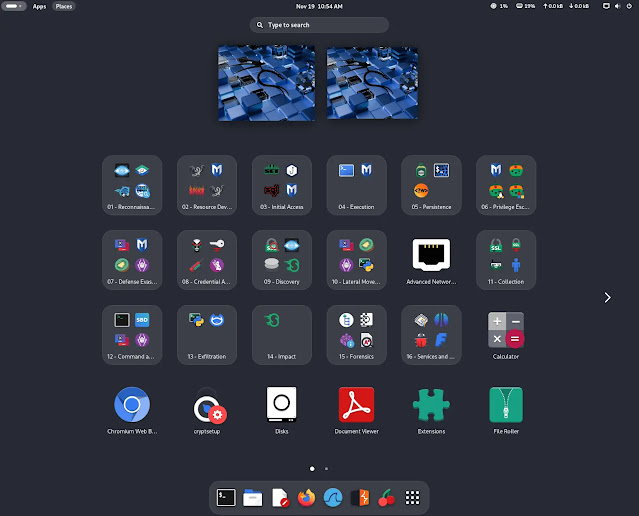
This transition is designed to be seamless, with improved support for VM guest utilities like clipboard sharing and window scaling across VirtualBox, VMware, and QEMU.
KDE Plasma has been updated to version 6.5, introducing flexible window tiling and fuzzy matching for KRunner.
Meanwhile, Xfce users can now enjoy comprehensive color theme support, allowing customization of icons and window managers to match the visual polish of GNOME and KDE.
The 2025.4 release introduces three powerful new tools to the network repositories, alongside significant updates to the NetHunter ecosystem.
| Category | Feature / Tool | Description |
|---|---|---|
| New Tool | hexstrike-ai | An MCP server enabling AI agents to autonomously run security tools. |
| New Tool | evil-winrm-py | A Python-based tool for executing commands on remote Windows machines via WinRM. |
| New Tool | bpf-linker | A simple BPF static linker designed for optimizing program generation. |
| NetHunter | Wifipumpkin3 | Now features preview capabilities and new templates for Facebook, Instagram, and iCloud. |
| System | Kernel 6.16 | The operating system core has been bumped to version 6.16 for better hardware compatibility. |
| Feature | Halloween Mode | A kali-undercover mode that themes the desktop with spooky visuals (accessible via terminal). |
The Kali NetHunter app has received extensive updates, including support for Android 16, and new devices such as the Samsung Galaxy S10 series and OnePlus Nord are now supported.
A standout addition is the updated Wifipumpkin3, which now includes preview tabs and fresh phishing templates created by the community.

Existing users can update their systems immediately using the standard command line interface.
bashsudo apt update && sudo apt -y full-upgrade
Once the upgrade is complete, a reboot is recommended to ensure all changes, particularly the new kernel and Wayland configurations, take effect properly.