The Rise of Deceptive DMG Installers: How macOS Infostealers Exploit Human Trust
A sophisticated shift in the macOS threat landscape has emerged, with threat actors increasingly pivoting toward weaponized disk images (.dmg) as their primary delivery vector. Rather than relying solely on technical exploits, these campaigns leverage highly polished, branded DMG files to execute “smash-and-grab” infostealer operations.
These attacks are designed to bypass Apple’s robust security architecture—specifically Gatekeeper—by weaponizing social engineering. The goal is simple but devastating: harvest high-value credentials, browser cookies, authentication tokens, and cryptocurrency wallet data before the malware exits the system without establishing persistence.
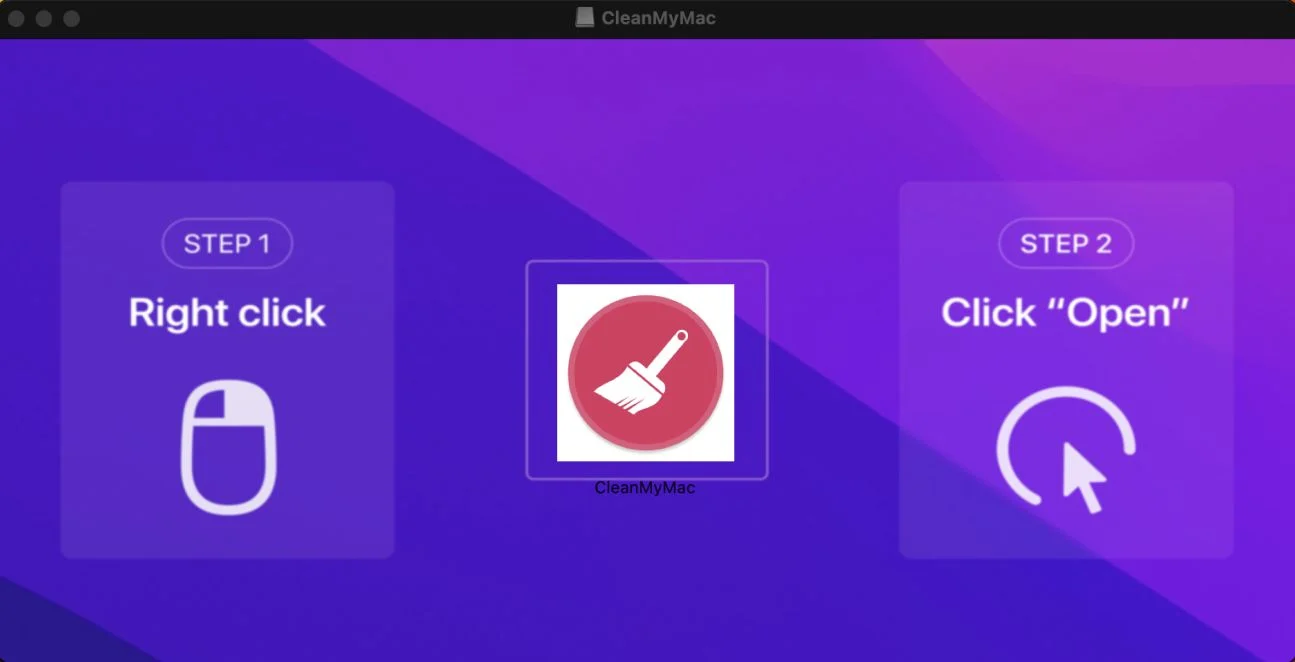
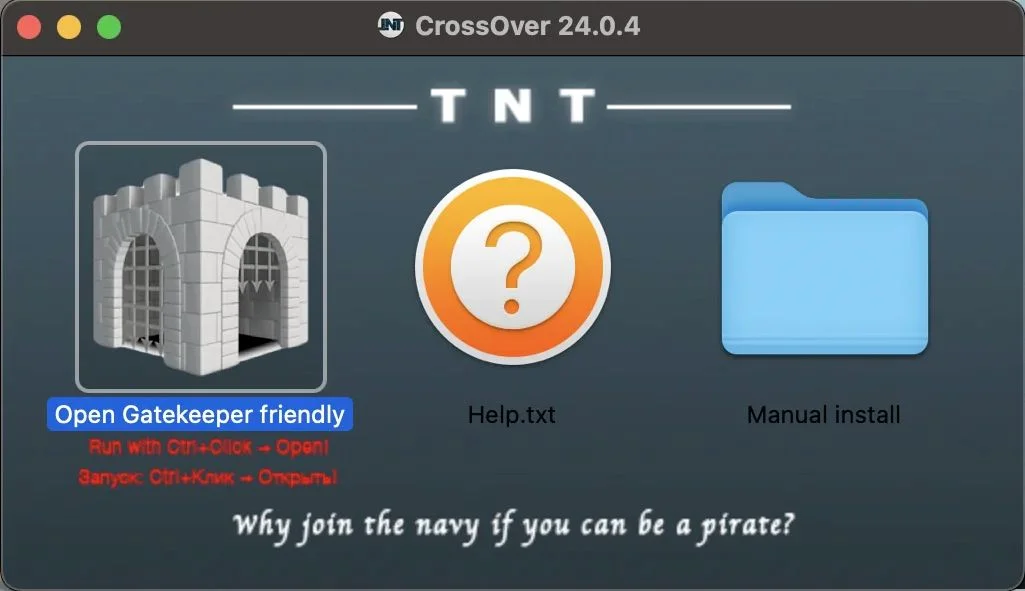
The infection chain typically originates from SEO-poisoned search results, compromised torrent repositories, or forums dedicated to “cracked” software. Victims, seeking legitimate paid software for free, download a forged DMG that presents a professional-looking Finder window. These windows often feature custom background images designed to visually guide the user through a series of dangerous, non-standard installation steps.
These instructions are carefully crafted to teach users how to manually override macOS security protocols. This might include using the “right-click to open” method to bypass Gatekeeper, dragging malicious binaries into a Terminal window, or navigating System Settings to manually approve unsigned software. Attackers favor the DMG format over .pkg installers because DMGs are easier to manipulate, require less formal signing infrastructure, and provide a more seamless canvas for visual deception.
Technical Analysis: The “Smash-and-Grab” Execution Model
According to a report from Huntress, infostealers now constitute a significant majority of new macOS threats, with prominent families such as AMOS, Poseidon, Odyssey, and MacSync gaining traction. These threats often utilize filenames and encoded instructions like “Drag to Terminal” to mask their intent.
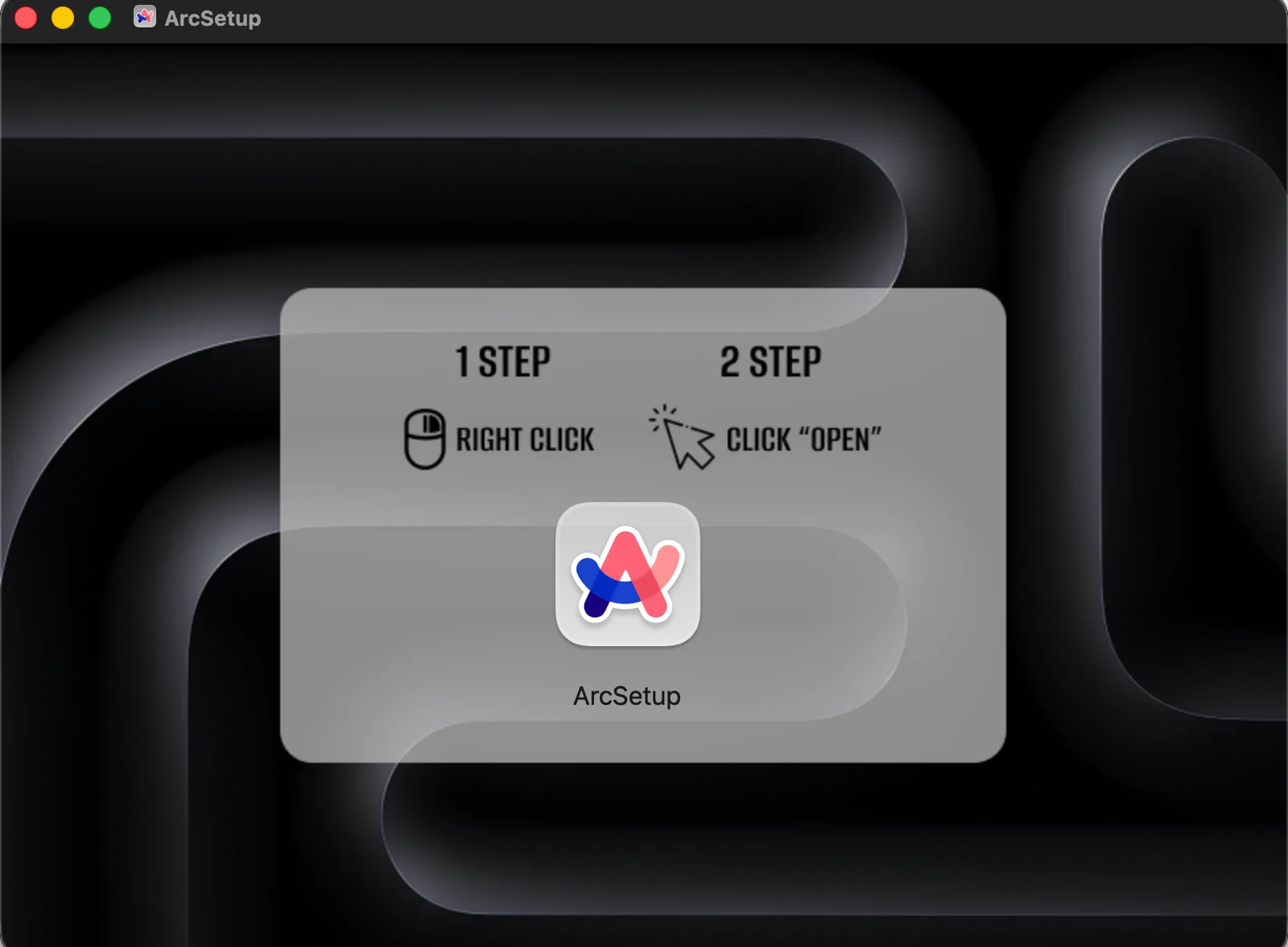
Once the DMG is mounted, it appears as a virtual volume in /Volumes. The malware can leverage an embedded .background graphic to maintain the illusion of legitimacy. Upon execution, the payload operates with extreme speed: it extracts session artifacts and sensitive secrets, exfiltrates them to a command-and-control (C2) server, and then terminates. This lack of persistence makes traditional post-infection forensics difficult, as there may be no resident malicious process to find after the fact.
Defensive Strategies and Detection Engineering
To combat this, defenders must shift their focus from post-execution detection to the initial mount event. By leveraging the macOS Endpoint Security API, security tools can receive real-time notifications when a new volume is mounted. Modern EDR agents can differentiate between legitimate physical disks and suspicious virtual mounts (disk images) occurring in /Volumes.
An effective detection workflow should include the following:
- Content Inspection: Scanning mounted volumes for
.backgrounddirectories and suspicious files like.scpt(AppleScripts). - Visual Analysis: Utilizing frameworks like Apple’s Vision to perform OCR on embedded background images to identify “Drag to Terminal” or other deceptive text.
- Fuzzy Matching: Implementing algorithms to catch intentional misspellings used to evade static signature-based detection.
- Behavioral Correlation: Correlating mount-time telemetry with immediate outbound network connections and unauthorized requests for Keychain access.
Incident Response Note: If a deceptive installer is detected, immediate containment involves unmounting the volume and terminating any spawned child processes. Responders should prioritize auditing browser profiles, cookie stores, and recent outbound traffic to identify signs of successful exfiltration.
While technical controls are vital, end-user education remains the strongest line of defense. Users must be trained to treat “cracked” software as high-risk and to view any prompt requesting a manual Gatekeeper override as a critical security red flag.